


The QueryBase Project Explorer provides a fluid, web-native experience for navigating complex software models and enterprise architectures. By combining interactive breadcrumbs, web views, and detailed property inspectors, users can effortlessly drill down from high-level project repositories to granular element attributes.
1. Contextual Breadcrumb Navigation
At the top of the Project Explorer window sits the interactive Breadcrumb Bar. Breadcrumbs offer two major advantages when navigating extensive models:- Instant Level Switching: Click any prior node in the breadcrumb trail (e.g., clicking the Project Name while inspecting an individual diagram) to return immediately to that parent context.
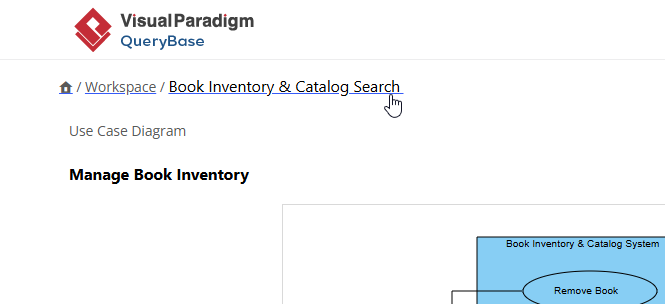
- Context Awareness: Always know exactly which diagram, package, or subsystem you are currently examining without getting lost in deep nested models.
2. Browsing Diagrams & Viewing Shape Details
Selecting a diagram from the project list opens the interactive diagram canvas. From here, you can inspect visual models and extract key properties:Interactive Canvas Inspection
Click any diagram element—such as an Actor, Use Case, Class, Activity, or Database Table—to reveal its specification at the bottom.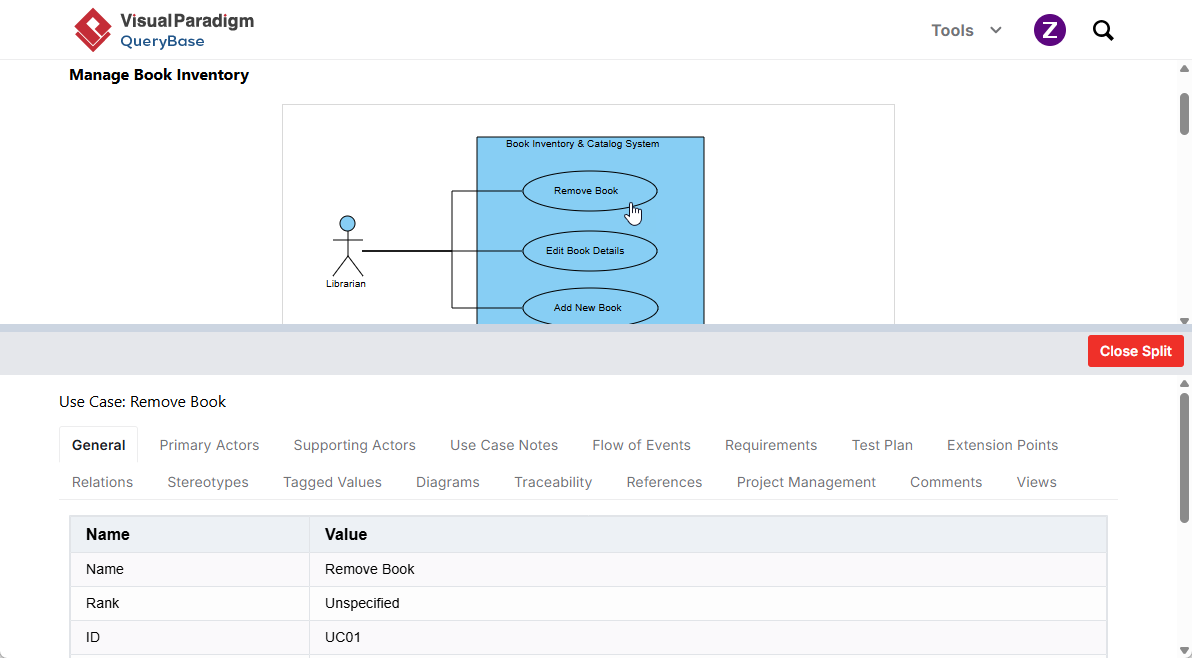
The specification panel displays crucial metadata, including:
- Basic Attributes: Name, ID, Stereotype, Type, and Description.
- Custom Properties: Tagged values, documentation notes, and user-defined fields.
- Model Relationships: Incoming and outgoing connections (e.g., associations, dependencies, generalizations).